Tiny Text
Raised Unicode letters that look like miniature text.
Your converted text will appear here.
Free Online Tool
Turn regular text into tiny letters, small caps, superscript and subscript text. Convert instantly and copy your favorite style.
Enter your text below to explore small-text styles. Choose a result and copy it to use wherever the characters are supported.
0 charactersConverts instantly in your browser
Raised Unicode letters that look like miniature text.
Compact capital-style letters using Unicode small caps.
Classic raised characters for notes, math, and flair.
Lowered characters useful for formulas and decoration.
Wider East Asian–style Latin letters and digits.
Letters and digits enclosed in Unicode circles.
Three simple steps take you from plain text to copy-ready Unicode styles.
Enter any phrase into the converter. Conversion happens instantly as you type—nothing is sent to a server.
Compare tiny text, small caps, superscript, subscript, and other Unicode styles side by side.
Copy a result with one click, then paste it into a bio, message, caption, or any field that accepts the characters.
A small text generator replaces supported letters and digits with visually similar Unicode characters that look smaller, raised, or compact. The letters you paste elsewhere are different code points—not the same characters with a smaller font size applied.
That distinction matters. In a word processor you can shrink a font while keeping the underlying text identical. Here, the output is a new string made of superscript, subscript, small-cap, or other specialty characters. Apps, websites, and operating systems then render those characters according to whatever fonts they have available.
Compatibility varies. Some messaging apps display tiny text cleanly; others substitute boxes, strip unsupported symbols, or reject them in usernames. Always preview the result in the destination before you rely on it.
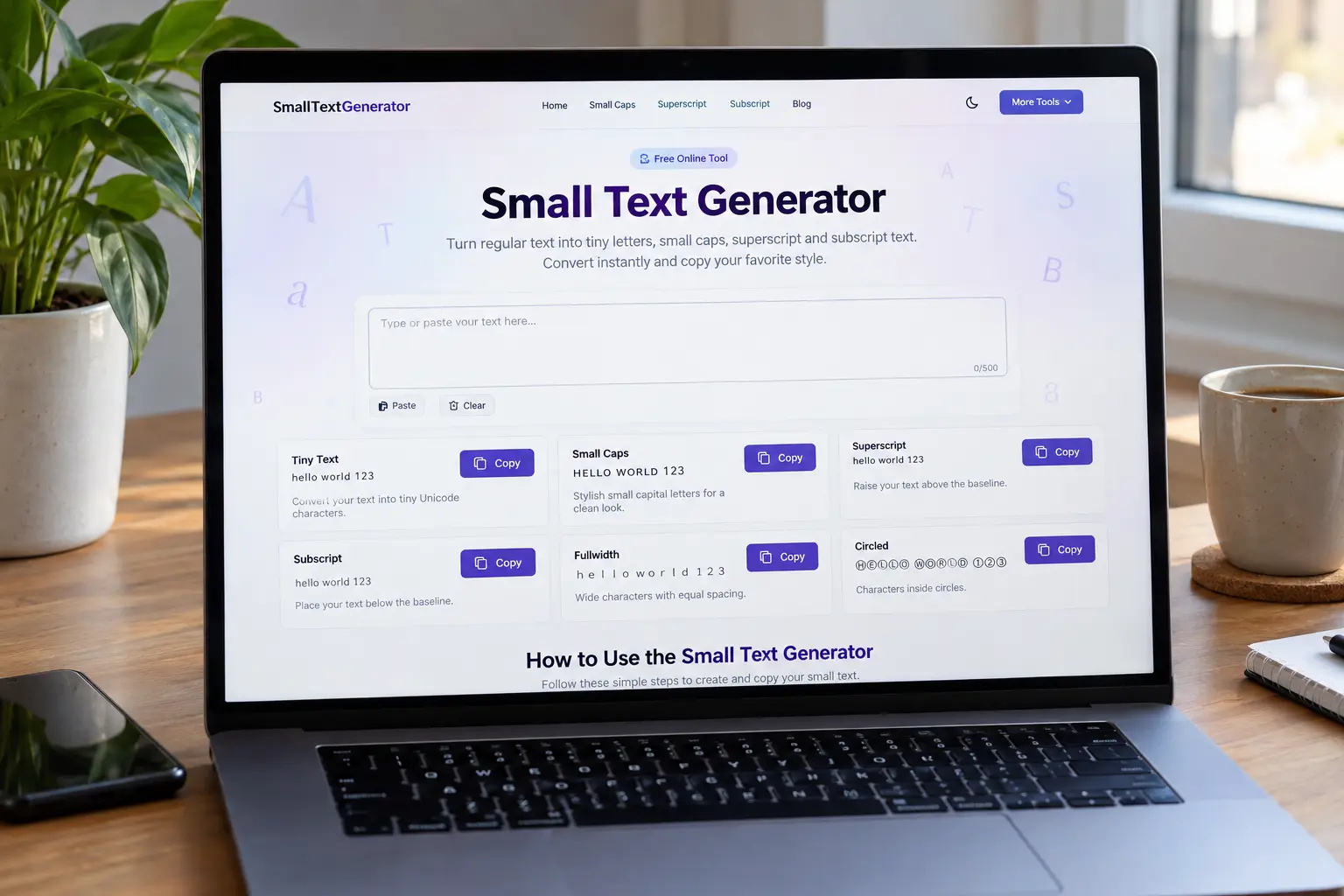
Each style below is produced by the same conversion engine used in the tool above, so the examples match what you will get when you type.
Tiny text uses raised Unicode letters that read like miniature captions. It is popular in social bios and decorative messages when the platform accepts the characters.
Sᵐᵃˡˡ ᵀᵉˣᵗ
Limitation: Unicode does not define a superscript form for every letter. Unsupported characters remain unchanged instead of being removed.
Superscript characters sit above the baseline. They work well for light math notation, ordinals, or stylistic flair. On this site, superscript and tiny text share the same character map because that is how Unicode represents most “tiny” Latin letters.
Sᵐᵃˡˡ ᵀᵉˣᵗ
See the dedicated superscript generator for a focused workflow.
Small caps use Unicode small-capital letters rather than simply lowercasing your text or applying a CSS font variant. The result looks like compact capitals even in plain-text fields that ignore rich formatting.
ꜱᴍᴀʟʟ ᴛᴇxᴛ
Try the small caps tool when you only need that style. Font support still varies, especially for less common small-cap code points.
Subscript characters sit below the baseline. Digits are well covered, which makes chemical-style labels and simple formulas practical. Letter coverage is intentionally limited by the Unicode standard.
Sₘₐₗₗ Tₑₓₜ
Limitation: many Latin letters have no subscript equivalent. Those letters stay normal so your meaning is not lost. Use the dedicated subscript generator for a focused workflow.
Small Unicode text is often used to add hierarchy or personality in places that only accept plain text. Common destinations include Instagram bios and captions, TikTok profile fields, Discord messages and some profile fields, WhatsApp chats, gaming display names, and other online messages.
Each service applies its own rules. A style that looks perfect in a chat may be blocked in a username, filtered by a moderation system, or rendered differently on mobile and desktop. Treat platform compatibility as best-effort: paste, preview, and adjust if needed.
This site does not guarantee that any converted string will be accepted by a specific app or game. When a field rejects characters, try a different style or shorten the text to mapped letters only.
Changing font size scales the same underlying characters. Recipients who lack your styling—or who view the text in a plain field—still see normal letters. Unicode small text is different: you replace characters with other characters that were designed to look smaller or shifted on the line.
Because the change lives in the text itself, it can survive copy and paste across apps. The trade-off is incomplete alphabet coverage and inconsistent rendering whenever a device lacks a glyph for a given code point.
Unicode simply does not define superscript, subscript, or small-cap forms for every letter, digit, or symbol. Inventing look-alikes or deleting unsupported characters would make the output harder to read and could alter meaning.
This generator keeps the original character whenever a reliable mapping is missing. Spaces, punctuation, line breaks, and emoji are preserved for the same reason: they are part of your message, not noise to strip away.
Quick answers about how the small text generator works, where tiny text can appear, and why some characters stay unchanged.
Yes. SmallTextGenerator.pro is free to use. You can convert and copy text without creating an account or installing software.
It replaces supported characters with Unicode look-alikes that appear tiny, raised, lowered, or compact. The conversion runs in your browser using explicit character maps.
Yes. Each style has its own Copy button. After copying, paste into any app that accepts those Unicode characters. If clipboard access is blocked, select the result and copy manually.
It often works in captions, bios, and messages, but support is not guaranteed. Some profile or username fields restrict specialty characters. Always preview the pasted result in the destination app.
Unicode does not provide superscript, subscript, or small-cap forms for every letter. When no reliable mapping exists, the generator keeps the original character instead of deleting it.
No. Font size is formatting applied to the same characters. Tiny text here is a different set of Unicode characters, so it can survive plain-text copy and paste.
No. Conversion happens locally in your browser. Your input is not uploaded to a server for processing, and the site does not store the text you type for conversion.
Rendering depends on fonts, operating systems, and applications. If a device lacks a glyph for a character, you may see a fallback font, a blank box, or a simplified substitute.